
Recently, Liquidware released a new platform that allows customers and engineers the opportunity to share scripts, integrations, and other content to help the customer community solve real problems! With a nudge from Systems Engineer Jack Smith, I was able to get my first spark posted to the platform!
The issue: When a Horizon Golden Image contains the legacy VMware Horizon Agent, as well as Liquidware Profile Unity, an upgrade to an “Omnissa” branded Horizon Agent can fail. This is due to the fact that a Profile Unity protection mechanism is in place. Typically a virtual desktop contains a UserInit.exe path. By default it is c:\windows\system32\userinit.exe. When you install the VMware Horizon Agent, it contains a pointer to the VMware-branded Horizon Session Manager.
Some third-party applications write to the registry, to execute at user logon. ProfileUnity adds its own userinit.exe to the registry so it is executed at logon. It also keeps track of what existed beforehand by writing an “ExpectedUserinit” and “OriginalUserinit” value in the registry. If ProfileUnity is removed, what is in the OriginalUserInit value will be used again.
Issues can come up when a customer is looking at moving from a VMware-branded Horizon Session Manager to an Omnissa-branded Horizon Session Manager.
This spark will perform the following:
- Allows a user to reference a path to the soon-to-be-installed Omnissa Horizon Agent
- Allows a user to choose which Horizon Agent features they want installed
- Stops all Liquidware services (including ProU and Stratusphere)
- Upgrade the Horizon client from a VMware-branded one to an Omnissa-branded one
- Adds the Omnissa Horizon Agent’s Horizon Session Manager to the ExpectedUserinit and OriginalUserinit registry entries, removing the VMware-branded one
- Restarting the VM should leave you with a fully-functional Profile Unity client and Omnissa Horizon agent in your golden image.
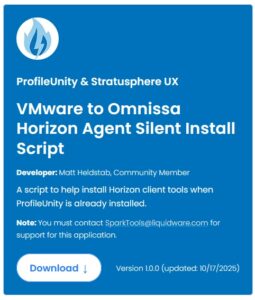
Sparks are pretty new, but feel free to browse Liquidware’s Sparks repository here https://www.liquidware.com/resources/liquidware-sparks
Once you are on the sparks page, you can click through to the PowerShell script on my GitHub.
I hope you enjoy!